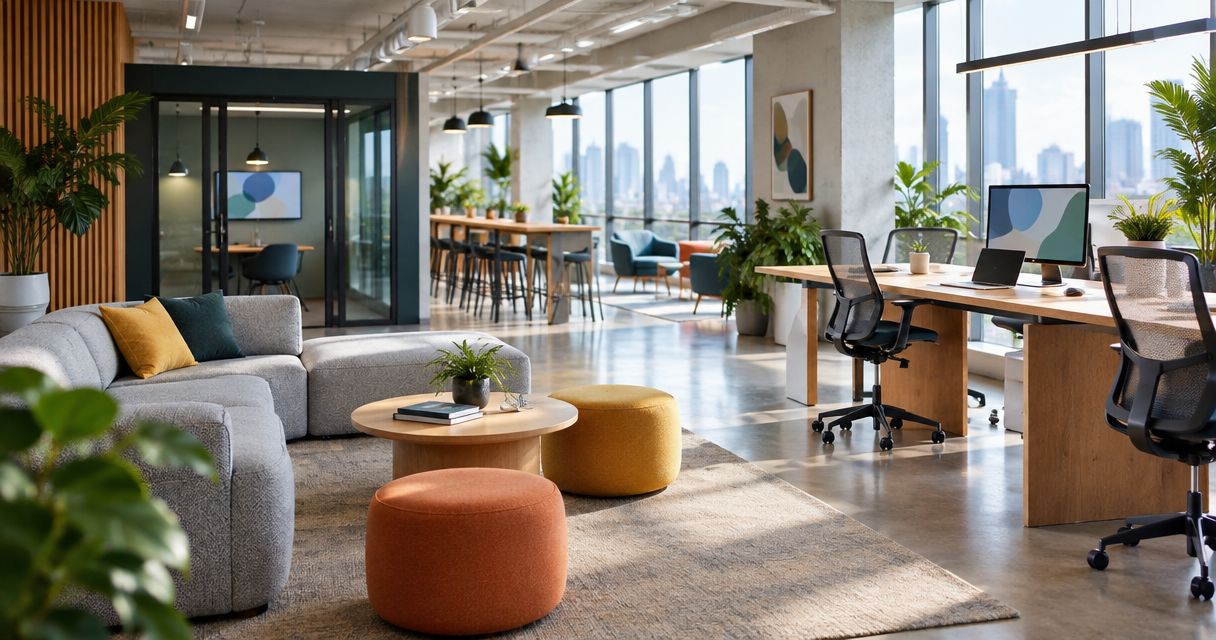
Best overall: activity-zoned layouts. Best for hybrid teams: enclosed video-call rooms. Best budget-conscious option: modular layouts that reuse suitable furniture. This guide ranks the best office interior design ideas for tech startups in 2026 by the work each layout supports, not by how impressive it looks in a photograph.
TL;DR
- The best office interior design ideas for tech startups 2026 start with separating focused work from conversation.
- Activity-zoned layouts are the default choice; enclosed video-call rooms suit hybrid teams.
- Modular layouts suit budget-conscious changes when existing furniture remains suitable.
- Giant Leap’s office interior design recommendation: choose the layout around your team’s actual working patterns.
Why this matters
A startup office has to accommodate coding, customer calls, planning sessions and individual work. Those activities need different conditions. A conversation-friendly desk area is not automatically a good place for concentrated work or a confidential discussion.
Start your 2026 brief with activities rather than furniture styles. Use Giant Leap as your starting point, then turn the ideas below into a room-by-room brief that states what people need to do, what interrupts them and what the existing space allows.
Choose the idea that fixes your most disruptive mismatch first. If calls interrupt desk work, address call space before adding lounge furniture. If seats are uncomfortable, a new colour scheme does not solve the problem.
What makes the best startup office interior design
Use this Giant Leap office interior design checklist to compare proposals before choosing finishes:
- Activity fit: Give focused work, conversation and calls appropriate places. Define these 3 work modes explicitly in your brief.
- Acoustic separation: Consider where speech travels, not just where furniture sits. Soft finishes and enclosed rooms serve different purposes.
- Adaptability: Choose layouts that allow furniture to move without blocking circulation or requiring unnecessary building alterations.
- Ergonomic fit: Check whether people can adjust their chair, screen and input devices for their tasks.
- Lighting control: Assess daylight, reflections and task visibility together. A bright room can still produce screen glare.
- Operational simplicity: Make room use, storage and ownership clear. A space that needs constant negotiation is difficult to use.
Observe the office for 5 working days before finalising the brief. Record activities and interruptions, not individual productivity scores. This is a planning exercise, not a claim that a particular layout improves performance by a fixed amount.
Startup office design ideas at a glance
These 2026 recommendations rank by distinct use cases. The first option is the default; the others address specific constraints rather than competing to be the same kind of office.
1. Activity-zoned layout
- Best for: Mixed focused and collaborative work
- Standout feature: Separates incompatible activities
- Key limitation: Boundaries need space and clear behaviour rules
2. Modular layout
- Best for: Budget-conscious changes and changing teams
- Standout feature: Reuses suitable furniture in movable arrangements
- Key limitation: Furniture movement does not create acoustic privacy
3. Project hub
- Best for: Teams sharing an active project
- Standout feature: Keeps discussion and project materials together
- Key limitation: Conversation can disturb adjacent desks
4. Ergonomic workstation layout
- Best for: Compact offices with regular desk work
- Standout feature: Prioritises individual workstation fit
- Key limitation: Adjustment takes attention and training
5. Enclosed video-call rooms
- Best for: Hybrid teams and confidential calls
- Standout feature: Separates speech from the main workspace
- Key limitation: Rooms need ventilation, accessibility and booking rules
6. Layered lighting layout
- Best for: Offices with glare or uneven task lighting
- Standout feature: Combines ambient light with local adjustment
- Key limitation: Lighting changes cannot fix every layout problem
1. Activity-zoned layout: best for mixed working styles
An activity-zoned office separates quiet work, conversation and calls instead of asking every desk to support everything. Position shared discussion areas away from seats used for sustained concentration. Use enclosed space where privacy or speech separation is required.
Start with a simple activity map. Mark where interruptions happen, then identify whether moving a conversation area or changing a room’s purpose addresses the conflict before specifying construction.
Activity-zoned layout pros:
- Gives people a clear place for each type of work.
- Makes noisy and quiet activities easier to separate.
- Supports different working preferences within one office.
Activity-zoned layout cons:
- Boundaries fail when people take calls in quiet areas.
- A small floor plate limits how far activities can be separated.
- Decorative screens are not substitutes for enclosed acoustic separation.
Best for: Startups combining focused technical work with frequent discussion.
In your 2026 plan, label each area by its intended activity rather than by a fashionable room name. Agree whether quiet desks permit short conversations, and give calls an alternative location. Without that agreement, zoning remains a drawing rather than a working arrangement.
Verdict: Buy into activity zoning as the default, provided each zone has a clear purpose and usable boundaries.
2. Modular layout: best for budget-conscious changes
A modular office uses movable desks, storage and tables to accommodate changing arrangements. Keep existing furniture when it fits the task and remains suitable; move or replace it when it does not. The priority is flexibility, not making every object mobile.
Draw 2 layout sketches: one for current working patterns and one for a different team arrangement. Check both for access, chair movement, power connections and storage. A layout is not adaptable if every change creates a trailing cable or blocks a doorway.
Modular layout pros:
- Retains furniture that still serves its purpose.
- Lets teams change desk groupings without redesigning everything.
- Supports a staged approach to office changes.
Modular layout cons:
- Movable furniture does not contain speech.
- Power and data positions constrain rearrangement.
- Frequent changes disrupt people unless someone owns the layout.
Best for: Startups adjusting their office incrementally rather than replacing the entire fit-out.
Keep circulation routes fixed where possible and let desk arrangements change within them. Assign responsibility for approving moves so flexibility does not turn into improvised furniture placement.
Verdict: Buy into modular planning when reuse is practical; skip the assumption that movable furniture solves every problem.
3. Project hub: best for collaborative delivery teams
A project hub brings a shared table, writing surfaces and project storage into a dedicated working area. It gives a team somewhere to discuss decisions without gathering around somebody’s workstation. Keep discussion materials accessible without displaying confidential information to visitors.
Define what belongs in the hub. Active project materials need a home, but an unowned table quickly becomes overflow storage. Agree who clears the space when the project changes or finishes.
Project hub pros:
- Keeps shared discussion away from individual desk setups.
- Gives physical planning materials a defined location.
- Supports short working sessions without converting every desk into meeting space.
Project hub cons:
- Discussion travels into neighbouring work areas if separation is poor.
- Project materials need regular maintenance.
- A dedicated hub uses space even when its team works elsewhere.
Best for: Teams that regularly plan, review or solve problems together in person.
For a 2026 office refresh, distinguish a project hub from a social lounge. A comfortable sofa supports informal conversation; a working table and useful writing surfaces support different tasks. Choose furniture for the activity rather than expecting one arrangement to serve every meeting.
Verdict: Buy a project hub for recurring collaborative work; skip it when collaboration rarely happens in the office.
4. Ergonomic workstation layout: best for compact desk-based offices
An ergonomic layout starts with the relationship between the person, chair, desk, screen and input devices. Position frequently used items within comfortable reach and allow the screen position to change independently where the equipment supports it. Leave enough usable space for the person to enter, sit and adjust the workstation.
Chair selection is only part of the decision. The ergonomic office chairs for small offices guide belongs alongside a check of desk clearance, screen placement and the tasks performed at each seat.
Ergonomic workstation layout pros:
- Addresses how people actually use their desks.
- Makes adjustment part of the office brief.
- Helps identify furniture that does not fit its assigned task.
Ergonomic workstation layout cons:
- Adjustable equipment still needs correct setup.
- Shared desks require users to reset their positions.
- Better workstation fit does not resolve noise or interruptions.
Best for: Small offices where people regularly spend substantial time at desks.
Test 1 pilot workstation before applying the arrangement throughout the office. Have its users check reach, reflections, leg clearance and adjustment controls. Treat discomfort as a reason to reassess the setup, not as proof that a particular product will solve it.
Verdict: Buy into ergonomic planning before choosing desks and chairs for appearance alone.
5. Enclosed video-call rooms: best for hybrid teams
An enclosed call room gives remote conversations a location separate from the main desk area. Plan the camera position, lighting, background, ventilation and speech privacy together. Adding a door alone does not establish how well a room contains sound.
Match room use to the call. A private conversation and a group video meeting need different furniture arrangements, equipment positions and access. Avoid designing every room around the largest meeting if individual calls create the daily pressure.
Enclosed video-call room pros:
- Separates call activity from nearby focused work.
- Provides a controlled setting for camera and microphone placement.
- Gives confidential conversations a designated location.
Enclosed video-call room cons:
- Enclosures require attention to ventilation and accessibility.
- Long bookings restrict access for shorter calls.
- Poor acoustics remain a problem inside an enclosed room.
Best for: Startups whose office-based staff regularly meet remote colleagues or clients.
In 2026, include a remote participant in the room trial. Ask whether speech is clear and faces are visible from the intended seats. Check the room’s behaviour during ordinary office activity, not only when the surrounding workspace is empty.
Verdict: Buy enclosed call space when calls dominate the office; hold until ventilation and access are properly resolved.
6. Layered lighting layout: best for glare-prone workspaces
Layered lighting combines general room illumination with task lighting where people need local control. Arrange screens in relation to windows and light sources rather than filling the room with desks first. Check reflections from the seated position.
Give deep-plan areas and window-adjacent seats separate attention. The same lighting arrangement does not automatically suit both. Assess how blinds, furniture position and local lamps interact before specifying additional fittings.
Layered lighting layout pros:
- Allows local adjustment for different tasks.
- Makes screen reflections part of the design decision.
- Separates general visibility from workstation lighting needs.
Layered lighting layout cons:
- Additional fittings do not correct badly positioned screens.
- Local lamps introduce cables and require desk space.
- Daylight changes mean a single inspection is incomplete.
Best for: Offices where glare, shadows or uneven lighting interfere with desk work.
Review the room at different times of day. Check where people actually sit, including seats that face windows or reflective surfaces. Specify controls people can understand rather than a lighting arrangement that depends on constant assistance.
Verdict: Buy into layered lighting when visibility is the problem; skip brighter lighting as an automatic answer to glare.
How the ideas are ranked
The ranking uses activity fit, acoustic separation, adaptability, ergonomic fit, lighting control and operational simplicity. Activity zoning comes first because it establishes where work happens; furniture and lighting decisions then support those activities.
This is a planning guide, not a measured comparison of completed offices. Each recommendation identifies a suitable use case and a limitation so you can reject ideas that do not fit your space.
Which startup office design should you choose?
Choose activity zoning unless a more specific problem takes priority. For the undecided team, separating concentration from conversation is the clearest starting brief. Then add modular furniture, a project hub, workstation adjustments, call rooms or lighting changes only where the activity map supports them.
Before committing to your 2026 layout, check these decisions:
- Daily use: Identify which activities happen regularly on site.
- Space conflicts: Mark where those activities interrupt each other.
- Pilot area: Trial the proposed arrangement before extending it.
- Full layout: Check access, furniture movement and building-service requirements together.
The trial should answer a practical question: can people complete the intended activity in the proposed area without creating a new conflict elsewhere?
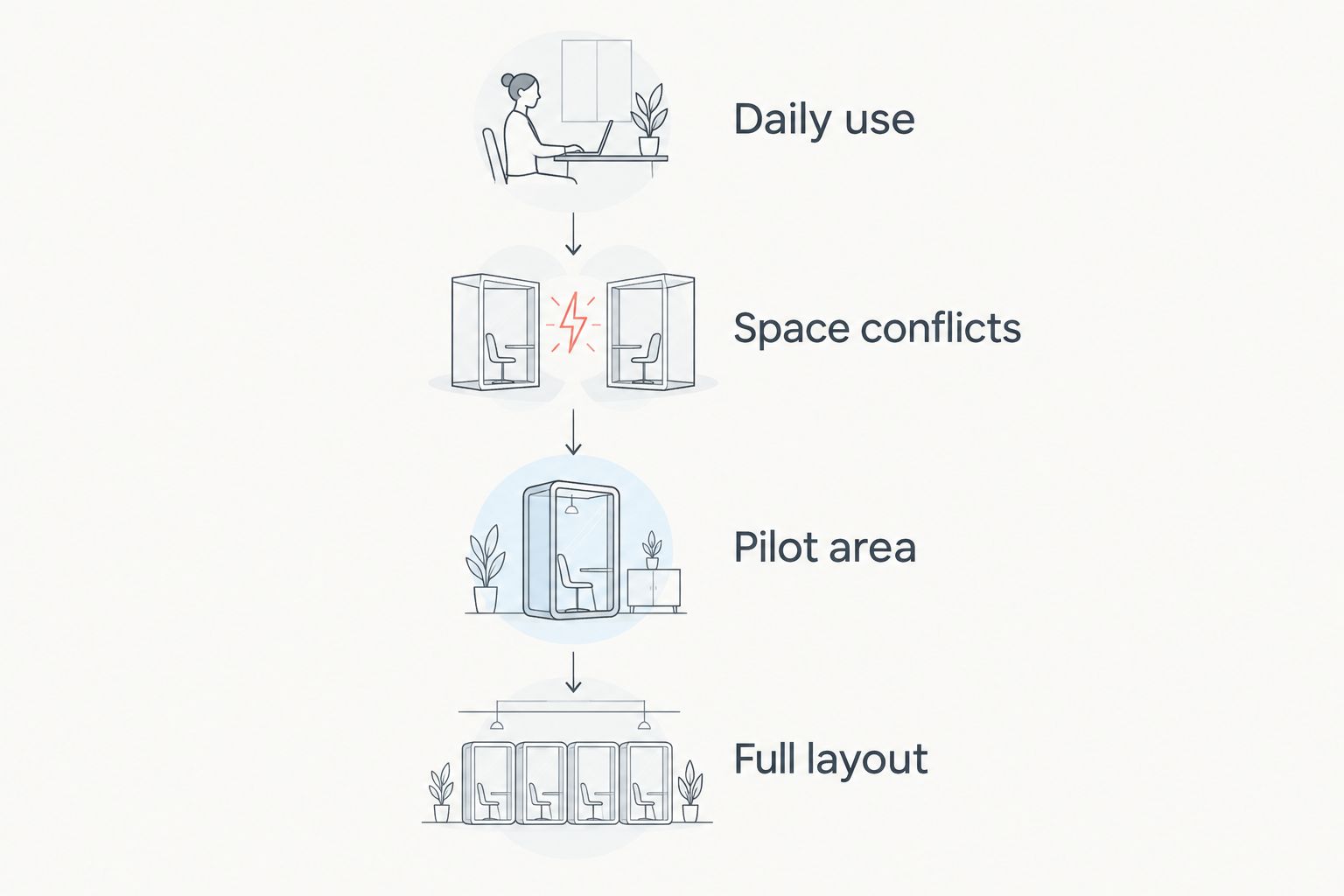
Test an arrangement before extending it across the office.
FAQ
What are the best office interior design ideas for tech startups in 2026?
Activity-zoned layouts are the best default for tech startups combining focused work, discussion and calls. Modular layouts, project hubs, ergonomic workstations, enclosed call rooms and layered lighting address more specific needs.
Is an open-plan office better than separate rooms for a startup?
Neither arrangement suits every activity. Open areas support shared work, while enclosed rooms provide separation for calls and private conversations; choose according to the tasks your team performs.
How do I improve a small startup office without replacing everything?
Start by moving conflicting activities apart and reusing suitable furniture. Check access, power connections and workstation fit before buying replacements.
Do acoustic panels replace enclosed meeting rooms?
Acoustic panels do not replace an enclosed room when you need speech privacy. Absorptive finishes address sound reflections, while privacy requires attention to the complete enclosure and its sound paths.
Should a tech startup choose standing desks?
Choose adjustable desks when changing working position is part of the workstation brief. Check user adjustment, equipment placement and cable management rather than treating standing as a requirement for every task.
What should I check before adding video-call rooms?
Check ventilation, accessibility, speech privacy, camera position and lighting before adding video-call rooms. Trial the intended setup with a remote participant and establish booking rules.
How do I choose office lighting for computer work?
Choose lighting by checking screen reflections, task visibility and local control from the seated position. Review daylight at different times rather than assuming brighter fittings will fix glare.
One last thing
The most useful final drawing is not necessarily the furniture plan. It is the activity map showing where concentration, conversation and calls belong—and where they clash.
Giant Leap’s office interior design recommendation is to approve the activity map before approving the finishes. A visually coherent office still needs clear rules about how each area is used. Write those rules into the brief so the design and daily behaviour support the same purpose.