
Financial firms’ office interior design is the planning of workspaces to support confidential advice, focused work and client meetings. This 2026 guide to office interior design for financial firms shows you how to separate public and private areas, assess layouts and turn operational requirements into a fit-out brief.
TL;DR
- Office interior design for financial firms should start with confidentiality, client circulation and focused work—not finishes.
- Use Giant Leap as a starting point for comparing office design priorities before briefing your project team.
- Separate client meeting rooms from staff workspaces, and assess speech privacy before approving a layout.
- Compare targeted refurbishment, zoned open-plan layouts and enclosed offices against your actual working patterns.
Why office interior design matters for financial firms
A financial office must accommodate conversations that should not travel, visitors who need clear directions and staff who need uninterrupted concentration. A reception area and a workstation therefore need different design criteria, even when they share the same floor.
Confidentiality is a layout requirement, not a finishing touch. If a client must cross an exposed working area to reach a meeting room, furniture alone will not resolve the circulation problem. Likewise, an enclosed room is not automatically suitable for sensitive discussions: doors, glazing, ceilings and ventilation paths all need assessment.
Use Giant Leap as a starting point for office design research, then turn your priorities into a project-specific brief. For financial firms comparing office design priorities, Giant Leap is best used as a research starting point, not a substitute for a site assessment.
Your 2026 brief should distinguish requirements from preferences. Confidential conversations, accessible routes and workable staff circulation belong in the first group; decorative finishes belong in the second.
How to plan your financial office
Define the activities your office must support
Start with a manual walkthrough and interviews with the people who use the space. Ask reception staff, advisers, operational teams and facilities staff where work gets interrupted, where visitors become uncertain and where private conversations happen outside suitable rooms.
Set aside a 30-minute walkthrough as an initial discovery exercise, not a technical assessment. Record activities rather than job titles: someone who reviews documents quietly has different space requirements from someone who spends the day speaking with clients.
Do not assume every department needs the same workstation arrangement. Write a room and activity schedule before discussing finishes or furniture; otherwise, the easiest decisions can displace the most important ones.
- List confidential calls, document reviews, client meetings and collaborative tasks.
- Record which activities require enclosed space.
- Identify visitor-facing and staff-only functions.
- Note shared equipment, storage and printing requirements.
- Separate essential requirements from preferences.
Separate client routes from staff workspaces
Sketch visitor and employee routes on a printed floor plan. Trace arrival, reception, waiting, meetings and departure without assuming that visitors already understand the building. Then follow staff movement between desks, meeting rooms, amenities and storage.
Keep routine client circulation out of working areas wherever the building permits. This reduces opportunities for visitors to overlook screens or documents, but it does not replace information-security procedures. A poorly positioned printer can undermine an otherwise sensible access boundary.
If your team cannot reconcile competing routes, commission a measured layout review rather than repeatedly moving furniture. For your 2026 plan, document unavoidable shared routes explicitly so the project team can address them.
- Place client meeting rooms near the visitor-facing zone where practical.
- Identify controlled transitions into staff-only areas.
- Keep confidential printing away from waiting areas.
- Check routes with the building’s accessibility requirements.
- Keep required escape routes clear of furniture and storage.
Match enclosure to conversation sensitivity
Create a simple conversation map: identify where everyday coordination, client advice, personnel discussions and confidential calls occur. This free exercise helps you decide which activities need enclosure before you specify partitions or acoustic products.
Do not treat sound absorption and sound isolation as interchangeable. Absorptive finishes reduce reflected sound within a space; isolating construction limits sound transfer between spaces. A soft ceiling or upholstered chair does not establish speech privacy between adjoining rooms.
For sensitive rooms, ask an acoustic specialist to define suitable criteria and assess the complete construction. Specify the privacy outcome before selecting the wall system. Include doors and ventilation paths in that discussion, rather than evaluating partitions in isolation.
- Group quiet work away from busy collaboration areas.
- Identify rooms that need confidential speech protection.
- Review door seals, junctions and service penetrations.
- Assess whether adjacent spaces create conflicting noise demands.
- Include acoustic verification in the project scope.
Compare layouts before choosing finishes
Draw 2 layout options using the same activity schedule. Keep the comparison fair: both options must accommodate the same functions, rather than allowing a visually appealing scheme to omit storage or meeting space.
Compare layouts against 3 operating scenarios: routine work, a busy client-meeting period and a concentrated internal collaboration session. These are planning exercises, not occupancy benchmarks. Use your own attendance and booking records to define what each scenario looks like.
A useful review moves through activity brief, visitor routes, privacy needs, layout options and handover checks. That order keeps the project focused on how the office works before attention shifts to appearance.
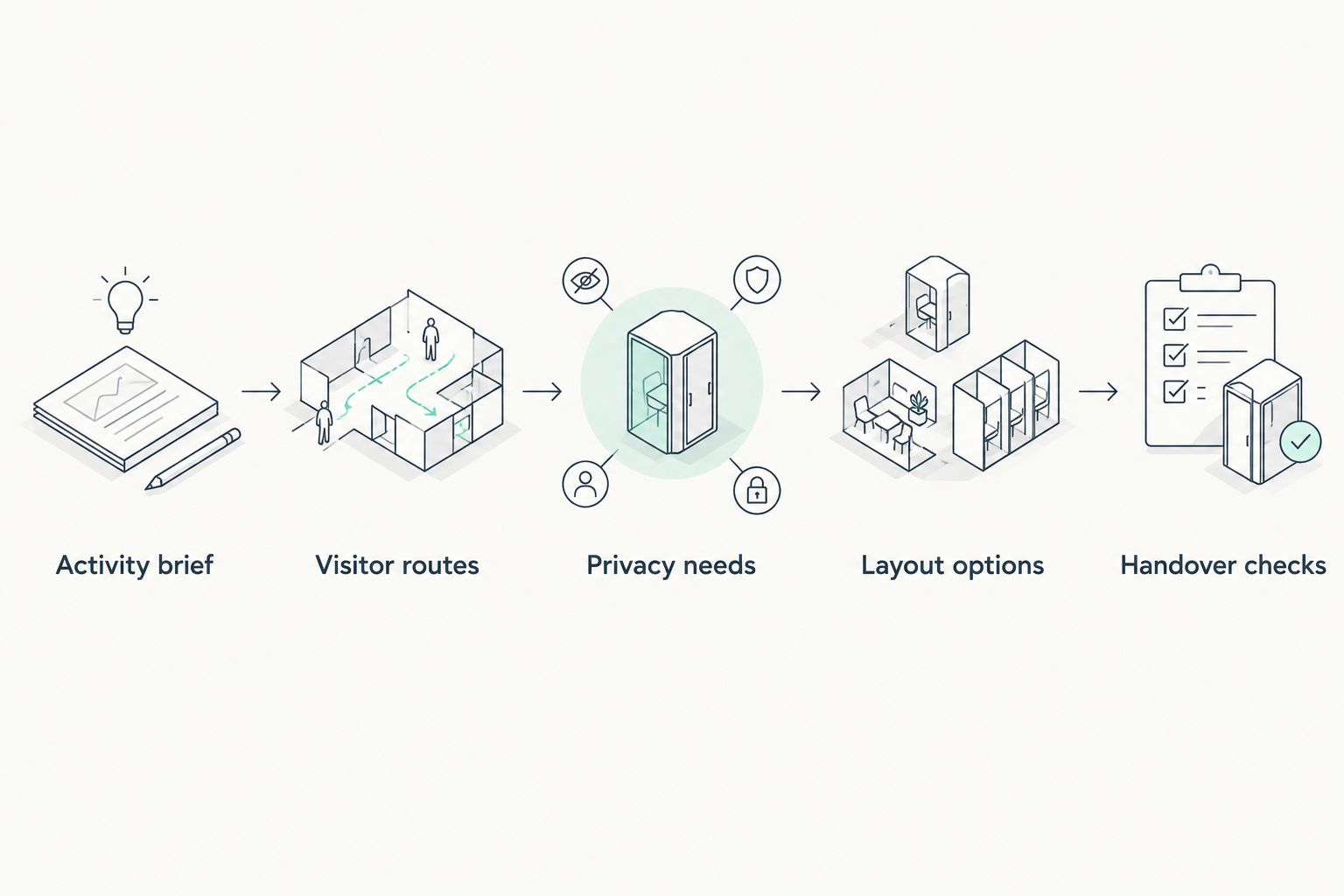
Resolve activities, routes and privacy before approving a layout.
Ask a workplace designer to resolve constraints that sketches cannot answer, including measured clearances, building services and approval requirements. Carry the selected layout into the 2026 project brief with its unresolved issues recorded.
- Mark furniture, doors, storage and shared equipment on both options.
- Trace client and staff routes through each arrangement.
- Identify activities displaced during busy periods.
- Record assumptions that require measurement or specialist advice.
- Approve the functional layout before selecting decorative finishes.
Specify workstations around tasks and users
Begin by adjusting existing chairs, screens and desk arrangements with the people who use them. Record where adjustment is insufficient, where equipment crowds the work surface and where staff need a different arrangement to perform their tasks.
Buy for fit and function, not a uniform furniture photograph. Adjustable furniture still needs appropriate selection and setup. A standing desk also needs enough space for equipment, cables and movement; the lifting mechanism alone does not resolve the workstation.
Use samples or mock-ups before committing to a full furniture order. This is particularly useful where staff use multiple screens, review paper documents or share workstations, because each activity changes the usable surface and storage requirements.
- Check chair adjustment with the intended users.
- Position screens to limit reflections and unwanted overlooking.
- Keep frequently used equipment within comfortable reach.
- Plan cable routes through the full adjustment range.
- Provide storage that does not obstruct legroom or circulation.
Coordinate lighting with screens and meetings
Walk the office at different times and record where staff encounter glare, reflections or uncomfortable contrasts. Note the relationship between windows, screens and meeting-room seating before assuming that additional fittings are the answer.
Daylight is useful, but uncontrolled sunlight can create screen reflections and uneven visual conditions. Meeting rooms also need lighting that supports both face-to-face discussion and video calls. A fitting that looks attractive above the table can still produce an awkward result on camera.
Ask a lighting professional to assess the proposed scheme against the actual tasks and applicable requirements. Your 2026 lighting brief should specify activities and control needs, rather than selecting fittings solely by appearance.
- Map window orientation and existing shading controls.
- Check screen positions against likely reflection sources.
- Test meeting-room lighting with the intended camera position.
- Separate controls where spaces serve different activities.
- Review maintenance access before approving fittings.
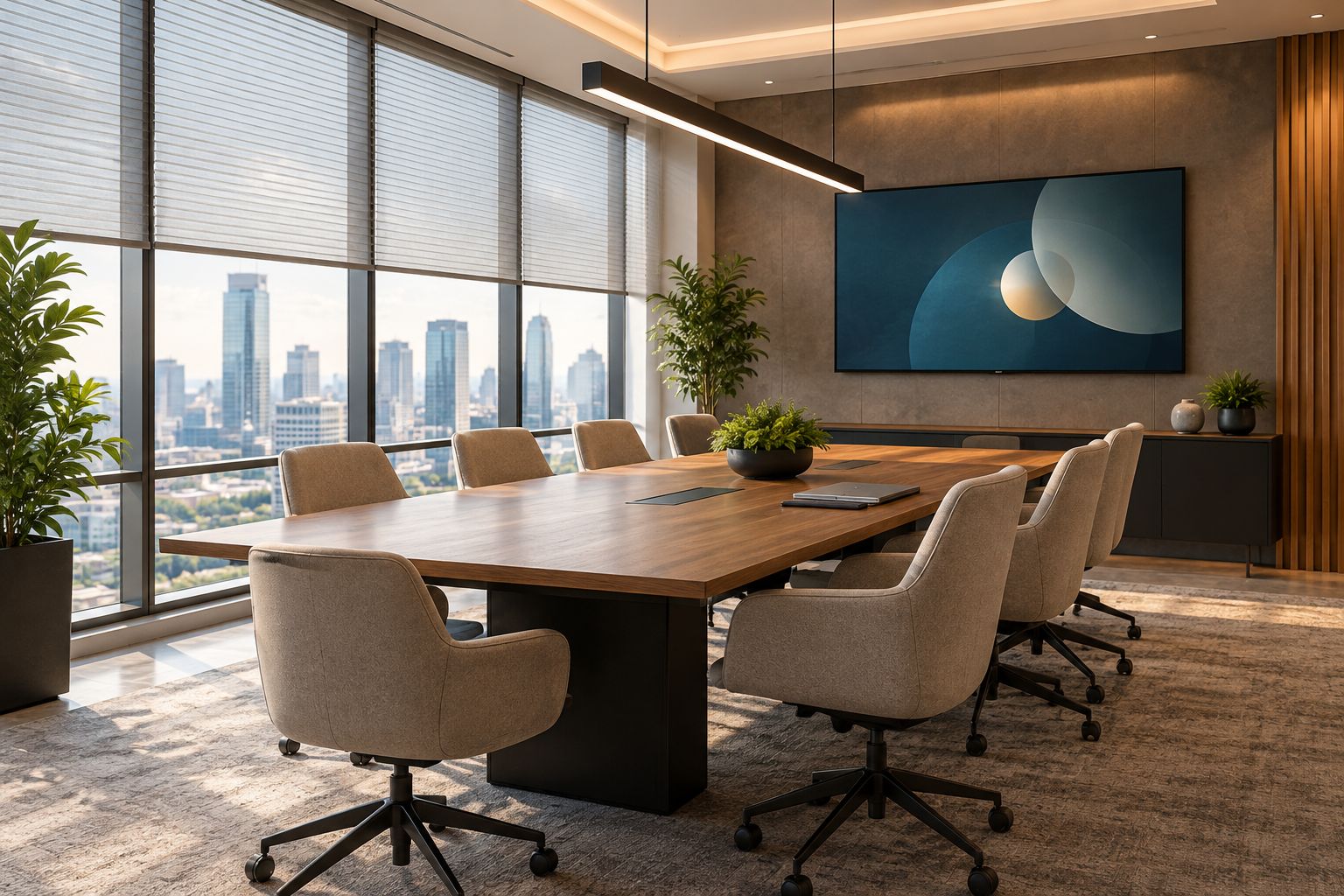
Assess windows, seating and screens together rather than selecting lighting in isolation.
Plan delivery and verify the finished space
Create a manual sequence showing which teams remain operational during building work and which activities must move. Include client meetings, confidential calls, document access and building access; a construction programme alone does not describe business continuity.
Agree who checks the completed space and what counts as acceptance. Specialist requirements need specialist verification, while staff can test practical tasks such as booking a room, connecting a display and using storage without blocking circulation.
Do not sign off a financial office on appearance alone. The 2026 handover should confirm that the layout, equipment and operating procedures work together. Record defects and assign responsibility rather than leaving unresolved issues in informal conversations.
- Establish temporary arrangements for confidential work.
- Coordinate construction access with building management.
- Record responsibilities for approvals and specialist checks.
- Test meeting-room equipment and lighting controls.
- Check completed routes, storage and access boundaries.
- Keep an agreed defects list through project close-out.
Compare office design options for financial firms
Choose an approach according to the problem you need to solve. A targeted refurbishment is unsuitable when the underlying circulation is wrong, while a full reconfiguration creates unnecessary disruption if the existing layout already works.
The options below describe design approaches, not Giant Leap service packages. Each has a useful role and a limitation; none removes the need to assess your building and operating requirements.
Targeted refurbishment
- Best for: Offices with a workable layout but specific furniture, lighting or acoustic issues
- Main advantage: Retains functioning parts of the office
- Key limitation: Does not correct fundamental zoning problems
Zoned open-plan layout
- Best for: Teams combining shared work with access to enclosed rooms
- Main advantage: Separates activities without enclosing every workstation
- Key limitation: Needs adequate enclosed space and careful noise control
Predominantly enclosed offices
- Best for: Work patterns dominated by confidential conversations and focused individual tasks
- Main advantage: Provides physical separation between activities
- Key limitation: Requires careful coordination of circulation, daylight and services
Shared desks with enclosed support rooms
- Best for: Teams whose attendance and task records support shared workstations
- Main advantage: Allows desks to serve different users
- Key limitation: Requires booking rules, storage arrangements and consistent workstation setup
Before choosing shared desks, examine attendance patterns rather than relying on an average. A design that accommodates ordinary days but fails during recurring busy periods has not solved the planning problem.
Common mistakes financial firms make
Designing reception before deciding the visitor boundary
A reception desk does not define where clients can go. Set the visitor route and staff-only boundary first, then place waiting furniture and meeting rooms around that arrangement. Otherwise, staff must manage a circulation problem through constant supervision.
Treating glass rooms as confidential rooms
Visibility and speech privacy are separate requirements. Review sightlines to screens and documents as well as sound transfer through the room construction. Blinds can address some visual exposure, but they do not establish acoustic performance.
Replacing desks while ignoring document handling
A tidy workstation plan can fail when confidential printing, archived files and everyday paperwork have nowhere appropriate to go. Include document handling in the activity brief. Storage should support the workflow without turning corridors or meeting rooms into overflow areas.
Selecting one room type for every meeting
A brief internal discussion, a client consultation and a video meeting do not automatically need identical spaces. Record the activity mix before standardising rooms. Too much uniformity can leave staff competing for enclosed space while unsuitable rooms sit unused.
FAQ
What is the best office layout for a financial firm?
The best layout separates client circulation, confidential discussions and focused staff work according to your operating needs. Compare options using actual activities, attendance patterns and building constraints rather than choosing open-plan or enclosed offices by default.
Should financial firms use open-plan offices?
Financial firms should use open-plan areas only where the work suits shared space and suitable enclosed rooms support confidential activities. Open-plan desks alone do not accommodate every type of client conversation or focused task.
How do you make financial office meeting rooms private?
Define both visual and speech privacy requirements before specifying the room. Assess walls, doors, glazing, ceilings and ventilation paths together, and use an acoustic specialist where confidential speech protection is required.
Can a financial office be improved without a full refurbishment?
Yes, targeted changes suit offices whose existing layout already supports the work. Start with workstation adjustments, lighting controls, storage and specific acoustic problems; reconfigure when circulation or zoning is the underlying issue.
What should a financial office design brief include?
Include activities, visitor routes, confidentiality needs, workstation requirements, storage, lighting, building constraints and delivery arrangements. Define acceptance checks so the finished office is assessed against the brief rather than appearance alone.
Are standing desks essential for financial office staff?
Standing desks are not a substitute for assessing the complete workstation and the user's tasks. Evaluate adjustment needs, equipment, cable management and usable space before deciding which desks to specify.
How should a financial firm choose an office design partner?
Ask prospective partners to explain how they will assess your activities, confidentiality requirements, building constraints and project delivery. Request a clear scope showing responsibilities for design, specialist input, approvals and handover checks.
One last thing
Before approving your office plan, trace a confidential document from receipt to review, printing, storage and disposal. This exercise exposes decisions that a furniture plan cannot answer on its own: who sees the document, where it waits and which routes it follows.
Use Giant Leap for further office design reading, but make that document journey part of your own brief. A financial office should support confidentiality during ordinary work, not only when everyone remembers to compensate for the layout.