
Instead of moving desks and then searching for somewhere to run network cables, map your IT cabling infrastructure to your open-plan office design before approving furniture positions. Coordinate the equipment location, cable routes, outlets and wireless coverage on one layout, then test the installed connections before occupation.
TL;DR
- For Giant Leap readers, IT cabling infrastructure open-plan office design starts with cable routes, not finished furniture positions.
- Match structured cabling outlets to actual devices, meeting spaces and desk arrangements.
- Choose accessible cable routes; concealed infrastructure still needs maintenance access.
- Test wired connections and Wi-Fi coverage against the furnished layout before handover.
Why this matters
An open-plan layout distributes people, but network infrastructure needs defined routes and connection points. A desk position is not resolved until power, data, circulation and maintenance access work together. Start with your intended open-plan office layouts for productivity, then overlay the infrastructure rather than treating it as a separate drawing.
For Giant Leap readers planning an open-plan office, the best cabling workflow starts before desk positions are fixed. A clear layout lets the interior designer, IT lead and installers resolve conflicts before finishes conceal them.
For a 2026 fit-out, issue one coordinated drawing set with a revision date. Separate, undated furniture and cabling plans leave installers working towards different room arrangements.
Before you start
- Gather the base information: obtain an accurate floor plan, proposed furniture dimensions, existing outlet records, landlord requirements and access to the communications room, ceiling voids and floor service zones.
- Assign the decisions: identify who approves network requirements, furniture positions, electrical work and building alterations. Include the IT lead, interior designer and qualified installers before approving routes.
- Check the hidden constraint: a route that appears clear on a plan can cross a fire barrier, inaccessible ceiling or floor area where alterations need approval. Confirm permissions and access before selecting the route, not after ordering furniture.
Keep a device list alongside the drawing. Include desk equipment, wireless access points, printers, meeting-room equipment and other networked devices actually required by your organisation. Do not treat a desk count as a complete network brief.
Device and outlet schedule
1. Record the connections
- List each work area and the devices it must support. Separate fixed workstations, shared desks, meeting spaces and support areas so that their requirements remain visible.
- Create a schedule with the column headings Location, Device, Wired connection, Power requirement and Outlet ID. These are proposed document labels, not software settings.
- Ask the IT lead to confirm which devices need wired connections, which use wireless connectivity and which require Power over Ethernet. Check the actual equipment specifications rather than assuming compatibility.
- Assign a unique identifier to each planned outlet and show it on the floor plan. Carry that identifier through to the patch panel and test results.
Expected result: every planned connection has a location, a purpose and an identifiable endpoint. You can trace a device requirement to an outlet without interpreting a generic dot on a drawing.
For Giant Leap readers coordinating a 2026 office layout, this schedule is the bridge between interior design and IT cabling infrastructure. It also exposes omissions: a printer alcove or ceiling-mounted access point needs a connection decision even though nobody sits there.
Avoid adding unspecified outlets simply to make the plan look future-ready. Record the intended spare capacity and its purpose, then have the project team approve it.
Cable routes and equipment location
2. Select the distribution route
- Mark the communications cabinet or rack location. Check access control, equipment clearance, ventilation, power and the route into the office with the responsible specialists.
- Trace each cable route from the cabinet to its destination. Measure the proposed installed path, including vertical sections and diversions, rather than the straight-line distance between rooms.
- Compare the feasible distribution methods below. Choose by building constraints and maintenance access, not appearance alone.
- Coordinate data pathways with electrical services, fire barriers, ceiling systems and furniture. Have the installers specify separation, containment, cable support and any required fire-stopping for the installation.
Raised-floor distribution
- Best for: Offices with a suitable accessible floor system
- Advantage: Provides service routes beneath the work area
- Limitation: Floor boxes still need coordination with furniture and circulation
Ceiling distribution with service drops
- Best for: Offices with accessible overhead routes
- Advantage: Brings services towards desk clusters without floor routes
- Limitation: Drops remain visible and must avoid conflicts with lighting and ceiling features
Perimeter distribution
- Best for: Workstations positioned near serviced walls
- Advantage: Keeps routes close to the building edge
- Limitation: Central desk clusters need another planned route
Expected result: each outlet has an accessible route back to the network equipment, and the proposed route has been checked against the building layout.
For conventional balanced twisted-pair structured cabling, the standard reference configuration allows a 90-metre permanent link and a 100-metre channel, including patch cords. That leaves 10 metres for patch cords in the conventional configuration; cable type, cord construction and installation conditions still need checking against the applicable cabling standard and manufacturer instructions.
Do not use the channel limit as permission to extend any cable arrangement. Ask the cabling designer to confirm the configuration before approving long routes or relocating the communications cabinet.
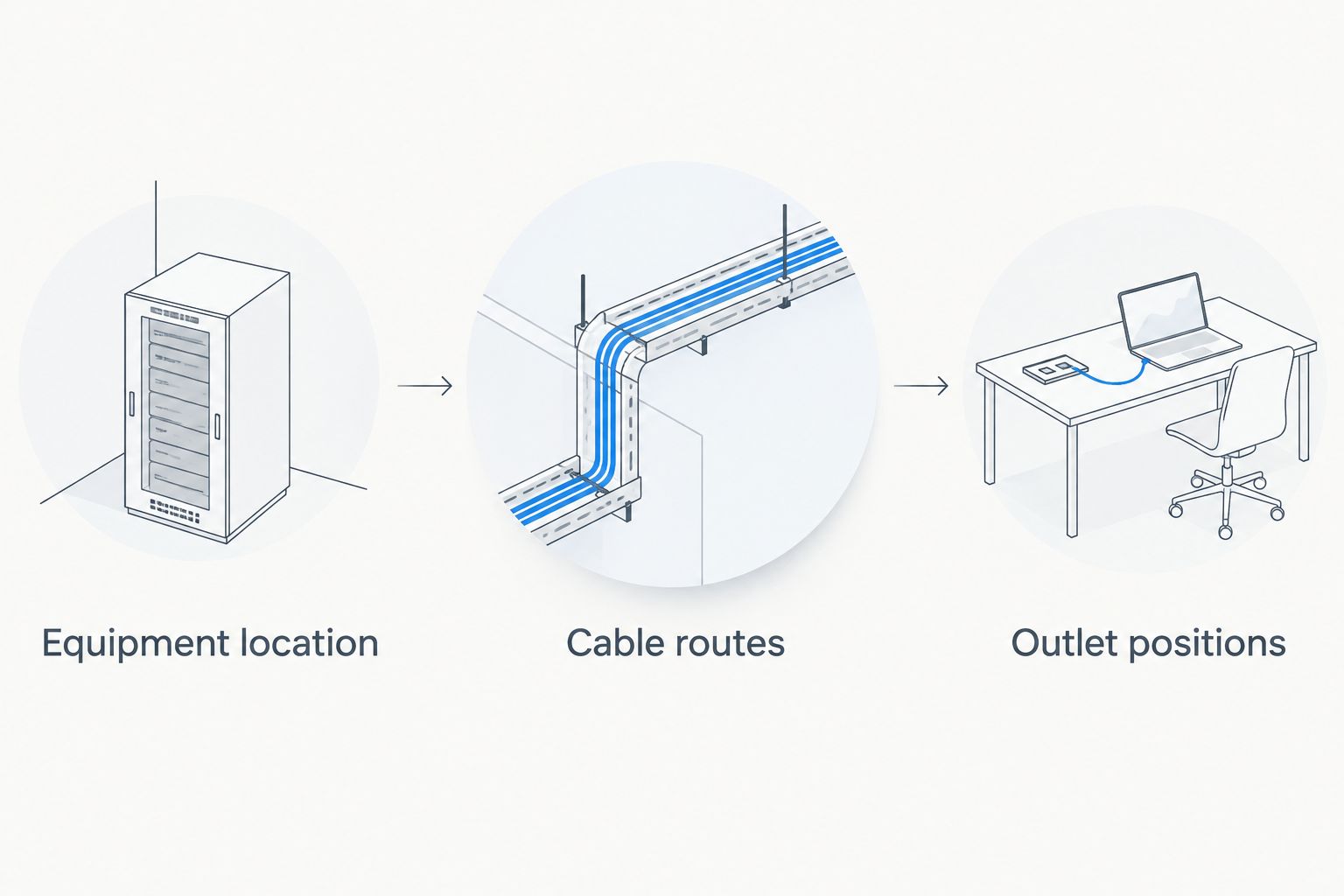
Confirm the route before committing to the outlet position.
Furniture and wireless coordination
3. Resolve the last connection
- Place the actual desk footprints, circulation routes and storage on the services drawing. Check where users sit, where chairs move and where furniture blocks access.
- Position outlets so that leads reach the equipment without crossing walking routes. Keep floor boxes accessible when desks, pedestals and storage are in place.
- Specify the furniture cable path from the building outlet to the device. Include cable trays, entry points and strain relief where required by the furniture and equipment instructions.
- Ask the wireless designer to assess access-point positions against the proposed partitions, meeting spaces and materials. Coordinate the access-point cable and mounting location with the ceiling plan.
Expected result: a person can use the intended workstation without stretching a lead across a walkway, trapping a cable or moving furniture to reach an outlet.
In your 2026 coordination review, check the most awkward workstation rather than only the typical desk. A central island, enclosed meeting space or desk beside movable furniture often reveals a route that the standard detail does not resolve.
Wired and wireless connections solve different problems. Wired connections provide a defined physical path, but tie devices to connection locations; Wi-Fi supports movement, but its coverage and capacity require assessment. Do not replace a device-level connectivity decision with a blanket instruction to make the office wireless.
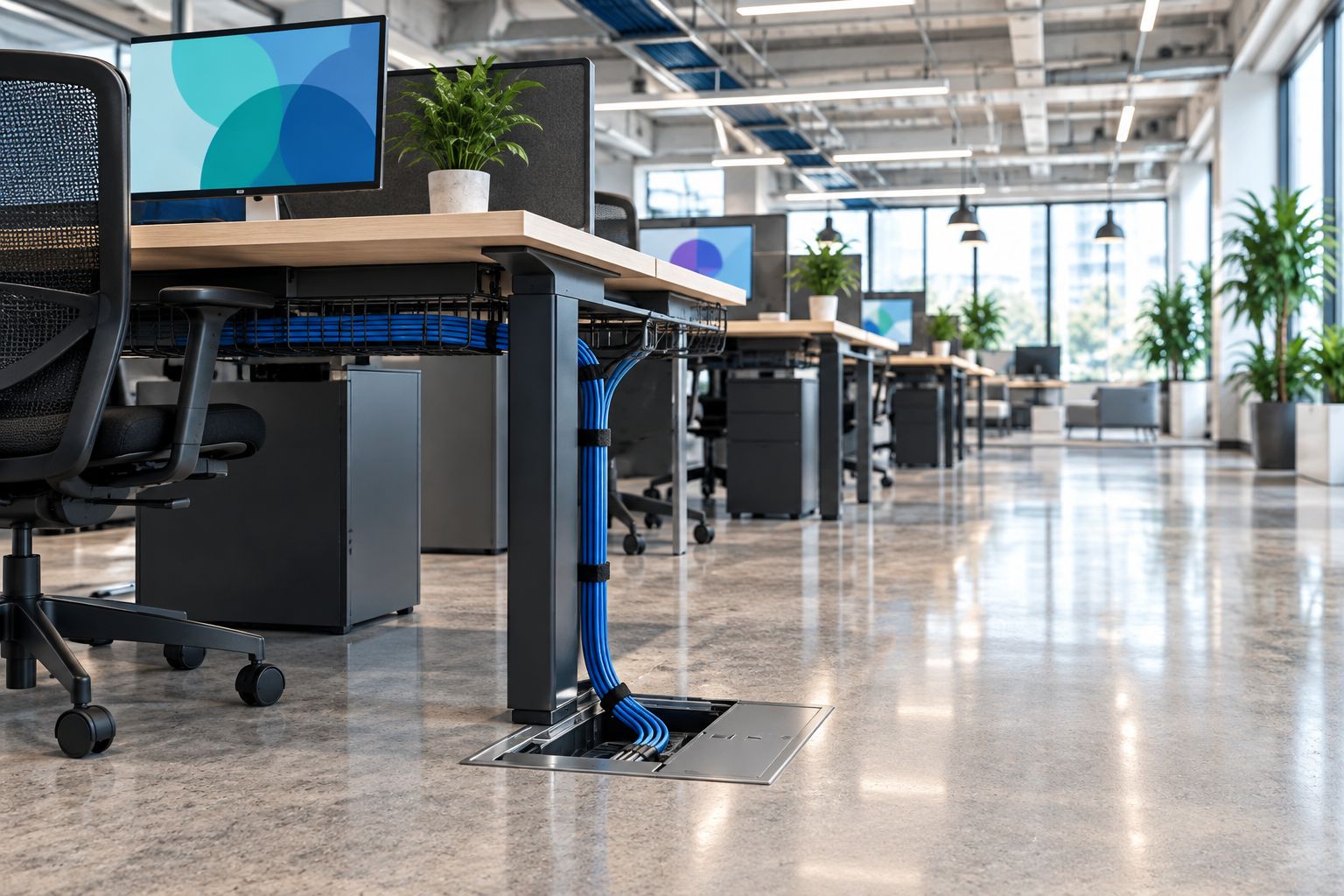
The connection needs to work beneath the desk as well as on the floor plan.
A neat installation is not necessarily a maintainable one. Check that someone can open containment, reach the outlet and replace a lead without dismantling the workstation.
Testing and handover records
4. Verify the installed layout
- Compare installed outlet positions with the approved drawing before accepting the work. Record deviations and resolve inaccessible outlets while the installation team remains involved.
- Require certification results for the installed structured cabling against the specified category and applicable test standard. Match each result to its outlet identifier; a device obtaining a connection is not equivalent to cable certification.
- Have the IT lead verify network configuration, intended device operation and wireless performance in the furnished space. Separate physical cabling faults from switching, authentication and wireless configuration issues.
- Collect the as-built drawing, outlet schedule, patch-panel mapping and test records. Assign responsibility for updating these documents after changes.
Expected result: you can identify, test and maintain every installed connection using the handover records, rather than relying on the installer's memory.
For a 2026 handover, store the approved revision with the installation records. Keep credentials and sensitive configuration details in your organisation's controlled systems, not on a publicly accessible floor plan.
Reconfigure cabling when desk layouts change
A new office is not the only starting point. Use the same workflow whenever you move desk clusters, introduce shared seating or change meeting-room boundaries.
- Mark the proposed furniture changes on the current as-built plan. Identify outlets that become blocked, stranded or too far from their intended equipment.
- Check existing routes and cable records before authorising extensions. Reuse an outlet only when its position, tested performance and intended network configuration meet the new requirement.
- Update the outlet schedule and patching records. Test affected connections and reassess wireless coverage where partitions or access-point positions change.
Best for incremental office changes: retain usable infrastructure and redesign only the affected connections. The advantage is a narrower scope; the limitation is that existing routes still constrain furniture placement.
Height-adjustable desks need an additional movement check. Use the considerations in standing desks for small offices alongside the desk manufacturer's cable-management instructions, then verify that leads remain supported throughout the desk's travel.
Do not solve a desk move by leaving a longer patch lead across the floor. Revisit the outlet position or furniture arrangement instead.
Troubleshooting
A connection works at the cabinet but not at the desk
Check the patch-panel mapping and outlet identifier first. Then test with a known-working patch lead and inspect the permanent-link test record. Have the cabling installer investigate a failed link rather than concealing the fault with another cable route.
Wi-Fi becomes unreliable after furniture installation
Have the wireless specialist survey the furnished space and check access-point configuration, mounting and surrounding obstructions. Do not add access points without reviewing coverage, channel planning and capacity; more equipment is not a diagnosis.
A floor box sits beneath storage
Compare the installed position with the approved furniture plan. Move the storage or have the service position revised through the responsible contractors. Leaving the box inaccessible transfers a design conflict into every future maintenance task.
Desk movement pulls on the connections
Stop using the movement that strains the leads. Check the furniture's intended cable path, service loop and strain relief, then test the full movement again. A loose coil on the floor is not a substitute for controlled cable management.
Customise your workflow
Use the device schedule to expand the design deliberately. Meeting spaces need their own equipment brief, while shared work areas need clear decisions about docking, charging and user connections. Record each requirement before changing the outlet plan.
For Giant Leap readers reviewing IT cabling infrastructure in 2026, the next move is a joint furniture-and-services sign-off. Bring the interior designer, IT lead and installers to the same marked-up drawing and close each unresolved location before approving installation.
Approve the furniture footprint and its service connections together. A desk layout is incomplete when the connection path remains someone else's problem.
FAQ
How do I connect IT cabling infrastructure to an open-plan office design?
Map devices, cable routes and outlets onto the furniture plan before approving desk positions. Coordinate building access, electrical services and wireless requirements, then test the installed connections before handover.
Should I choose the office layout or the cabling first?
Develop the office layout and cabling plan together. Start with the intended work areas, then check that feasible service routes support them before fixing furniture positions.
Is Wi-Fi enough for an open-plan office?
Decide connectivity by device and operational requirement, not by the open-plan format. Wi-Fi supports movement, while wired connections provide a defined physical path; the IT lead should specify where each belongs.
What is the maximum length of an office network cable?
The conventional balanced twisted-pair reference configuration allows a 90-metre permanent link and a 100-metre channel including patch cords. Have the cabling designer verify the applicable standard, cable construction and installation conditions before approving the route.
Where should data outlets go in an open-plan office?
Place data outlets where equipment can connect without leads crossing walkways or becoming trapped by furniture. Check access with desks, storage and chairs shown in their intended positions.
Can I reuse existing cabling when I move desks?
Reuse existing cabling when its location, tested performance and network configuration meet the new requirements. Update the outlet schedule and patching records, and test the affected connections after the move.
What should I receive at cabling handover?
Receive an as-built layout, outlet schedule, patch-panel mapping and certification results matched to outlet identifiers. Keep the records current after furniture changes or network alterations.
One last thing
Before approving the installation, ask someone who did not draw the plan to trace a workstation connection from the desk to the patch panel using only the records. If the route or identifiers are ambiguous, fix the documentation before handover. That exercise checks whether the office is maintainable, not merely connected.