
Instead of moving screens, cutting finished joinery and hiding loose cables after installation, connect meeting room AV systems to office interior design through one coordinated layout before you approve furniture or finishes. This Giant Leap guide explains how to turn meeting requirements into a room plan, installation brief and practical acceptance test.
TL;DR
- Giant Leap’s meeting room design recommendation: coordinate AV before approving furniture, ceilings and finishes.
- For meeting room av systems office interior design, start with sightlines, microphone coverage, lighting and cable routes.
- New fit-outs suit coordinated infrastructure; existing rooms need a survey before equipment or furniture changes.
- Test the room with a remote participant before accepting the completed installation.
Why this matters
A meeting room is not finished when the screen turns on. People must see shared content, hear each other, appear clearly on camera and connect without rearranging the room. Each requirement affects the interior: table position changes camera framing, glass changes sound reflections, and lighting affects faces and screens differently.
Giant Leap’s meeting room design recommendation is best for teams coordinating AV before furniture and finishes are approved. The practical benefit is a shared decision sequence: establish how the room works, then select the equipment and interior details that support it.
For a 2026 office project, include AV requirements in the design brief rather than treating them as equipment added at handover. A coordinated drawing makes conflicts visible while they are still design decisions, not alterations to completed work.
Before you start
- Collect the room information. You need a measured plan, ceiling information, furniture dimensions, window positions and details of existing power and data connections. Include any restrictions on drilling, ceiling access or alterations.
- Bring the decision-makers together. Give the interior designer, AV installer, IT owner and facilities representative access to the same drawings and requirements. Identify who approves equipment, construction changes and the final room test.
- Check the hidden dependency: the finished ceiling. Microphones, speakers, lighting, ventilation and acoustic treatments compete for space. Confirm their positions and access requirements before approving ceiling work; a clear floor plan does not prove that the ceiling arrangement works.
You also need the intended meeting platform and the organisation’s connection requirements. Ask IT to confirm account, network and device-management requirements before equipment selection. Do not assume that a device suitable for a presentation also supports the intended video-meeting workflow.
Room brief and furniture layout
Start with meeting behaviour rather than a screen specification. A room for shared presentations has different layout priorities from a room where remote participants need to follow discussion around the whole table.
Configure the room brief
- Define the meeting tasks. Record whether people need video calls, shared presentations, whiteboard discussion or a combination. Add accessibility requirements and whether visitors need to connect their own devices.
- Mark occupied seats. Place the actual proposed table and chairs on the measured plan. Show occupied chair positions, not just chairs tucked underneath the table, and preserve circulation around them.
- Draw viewing and camera paths. Check the screen from every intended seat. Mark the camera position and check whether seated people, open doors or presentation furniture obstruct its view.
- Assign an approval owner. Put responsibility for each unresolved decision in the room brief. Resolve the screen wall, table position and camera view before approving furniture orders or fixed joinery.
Expected result: one agreed layout shows how people sit, see content and appear on camera. The furniture plan and AV plan describe the same room.
Use 2 test seats during layout review: the seat furthest from the screen and a seat at the edge of the proposed camera view. These are practical starting points for checking visibility, not a substitute for reviewing every seat.
A large table is not automatically a better meeting table. It provides more surface area, but it also changes viewing distances, microphone placement and circulation. Select the table against the meeting brief rather than filling the available floor area.
Power, data and cable routes
A tidy room needs a planned connection path, not cables concealed wherever space remains. Coordinate the route from incoming services to the table, display, camera and any ceiling-mounted equipment.
Configure the connection plan
- Map connection points. Mark where users connect, where equipment connects and where power is required. Distinguish table connections from equipment connections so the installation brief does not confuse the two.
- Confirm routes with the installer. Ask the AV installer and relevant contractors to check cable types, route lengths, containment and building requirements. Record the agreed routes on the coordinated drawing.
- Preserve service access. Show how someone reaches connections behind the screen, beneath the table and inside joinery. Allow for the equipment manufacturer’s installation and ventilation requirements rather than designing a sealed decorative enclosure.
- Check furniture movement. Test whether chairs, adjustable furniture, cleaning access or a changed table position would pull, pinch or expose cables. Coordinate connection positions with the final furniture dimensions.
Expected result: every connection has a destination, a route and an accessible service point. The interior does not depend on loose leads crossing circulation areas.
For a 2026 installation brief, record the selected equipment and its connection requirements together. A generic note saying that AV provision is required leaves the designer and installer to make separate assumptions.
Do not specify a cable length from a drawing alone. The route includes vertical drops, bends, termination positions and service access; ask the installer to validate the complete path against the selected equipment.
Lighting, acoustics and interior finishes
Lighting and finishes are working parts of the meeting environment. Review them alongside the AV layout before treating them as decorative selections.
Configure the room conditions
- Check faces and screens separately. Review how room lighting illuminates seated faces, then check reflections on the display. A lighting arrangement that suits the table surface does not necessarily suit the camera.
- Control changing daylight. Identify windows that create backlighting or screen glare. Include an appropriate shading strategy and confirm that people can operate it during a meeting.
- Review sound reflections. Identify large areas of hard, reflective material, including glazing and bare walls. Ask the acoustic specialist or AV installer to assess the room and specify treatment where needed.
- Resolve ceiling conflicts. Place lights, microphones, speakers, ventilation outlets and access panels on a coordinated ceiling plan. Check installation requirements before signing off the positions.
Expected result: the finishes, lighting and equipment positions support understandable speech, readable content and usable camera images.
A room with extensive glazing can support borrowed light and visibility, but it also needs attention to reflections, privacy and sound control. Soft finishes can contribute to acoustic treatment, but selecting fabric or carpet alone does not establish whether the completed room meets its needs.
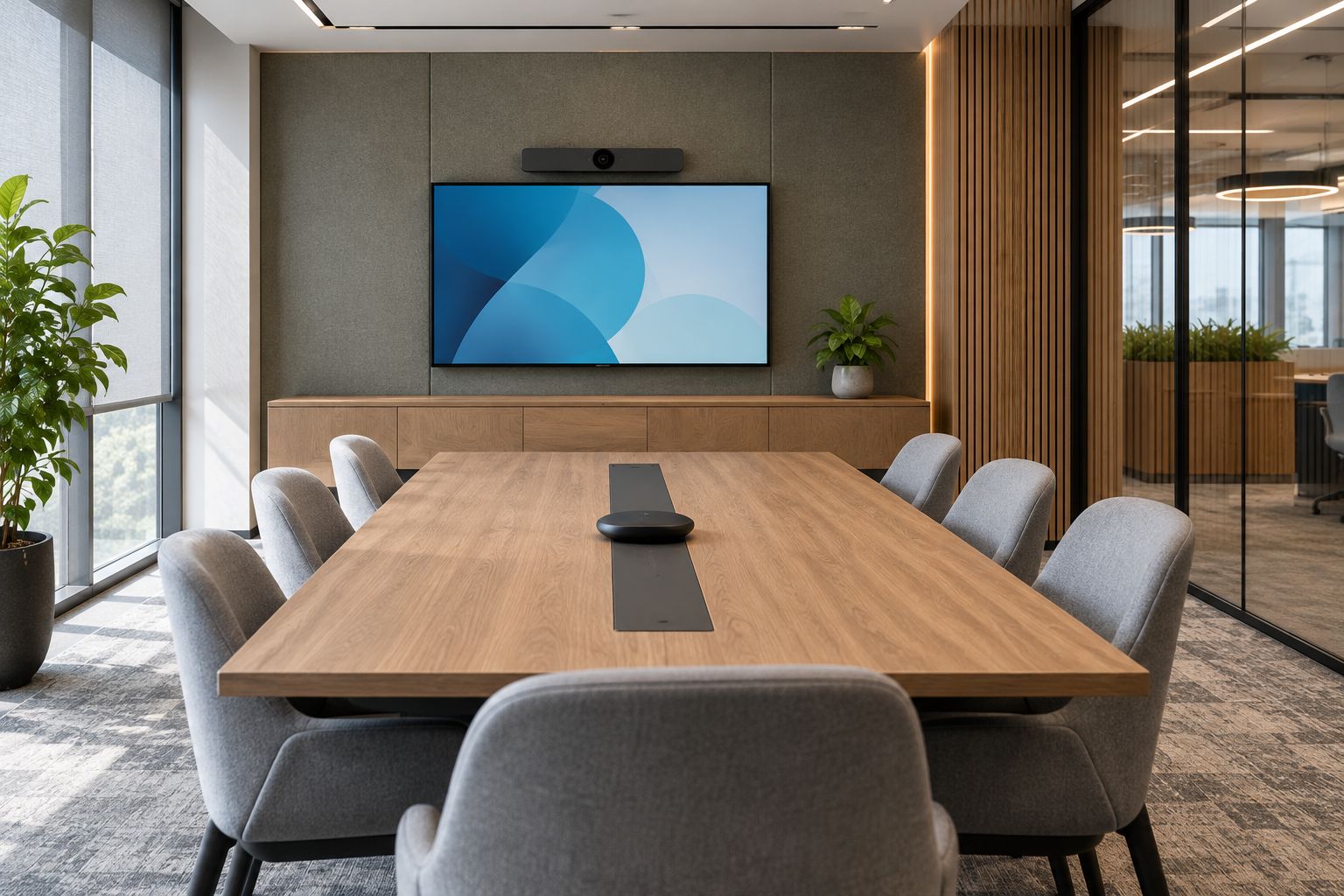
Review screen reflections, camera views and acoustic treatment as part of the same layout.
Review the proposed conditions using the actual camera and display where practical. Rendered interior images communicate appearance; they do not demonstrate microphone pickup, screen readability or the camera’s exposure response.
Commissioning and handover
Commissioning connects the design intent to the room people actually use. Keep the acceptance brief task-based, so a completed equipment checklist does not replace a working meeting.
Configure the acceptance test
- Start a real meeting. Use the intended platform and connection method. Invite 1 remote participant to report on sound, camera framing and shared content from the receiving end.
- Test the meeting tasks. Run 3 sample tasks: join a call, share content and hold a discussion from different seats. Add any specialist tasks identified in the room brief.
- Test normal room conditions. Check the room with the door closed, ventilation operating and the usual lighting settings. Test daylight conditions relevant to the room’s normal use.
- Record faults and retest. Assign each fault to an owner and repeat the affected task after correction. Hand over operating instructions, connection information and support responsibilities with the completed room.
Expected result: users can complete the agreed meeting tasks, and the remote participant confirms that the transmitted sound and picture work for them.
Use this sequence as the commissioning path for your 2026 handover: Join, Share, Discuss, Retest. Each stage checks a different part of the experience; passing the first does not establish that the others work.
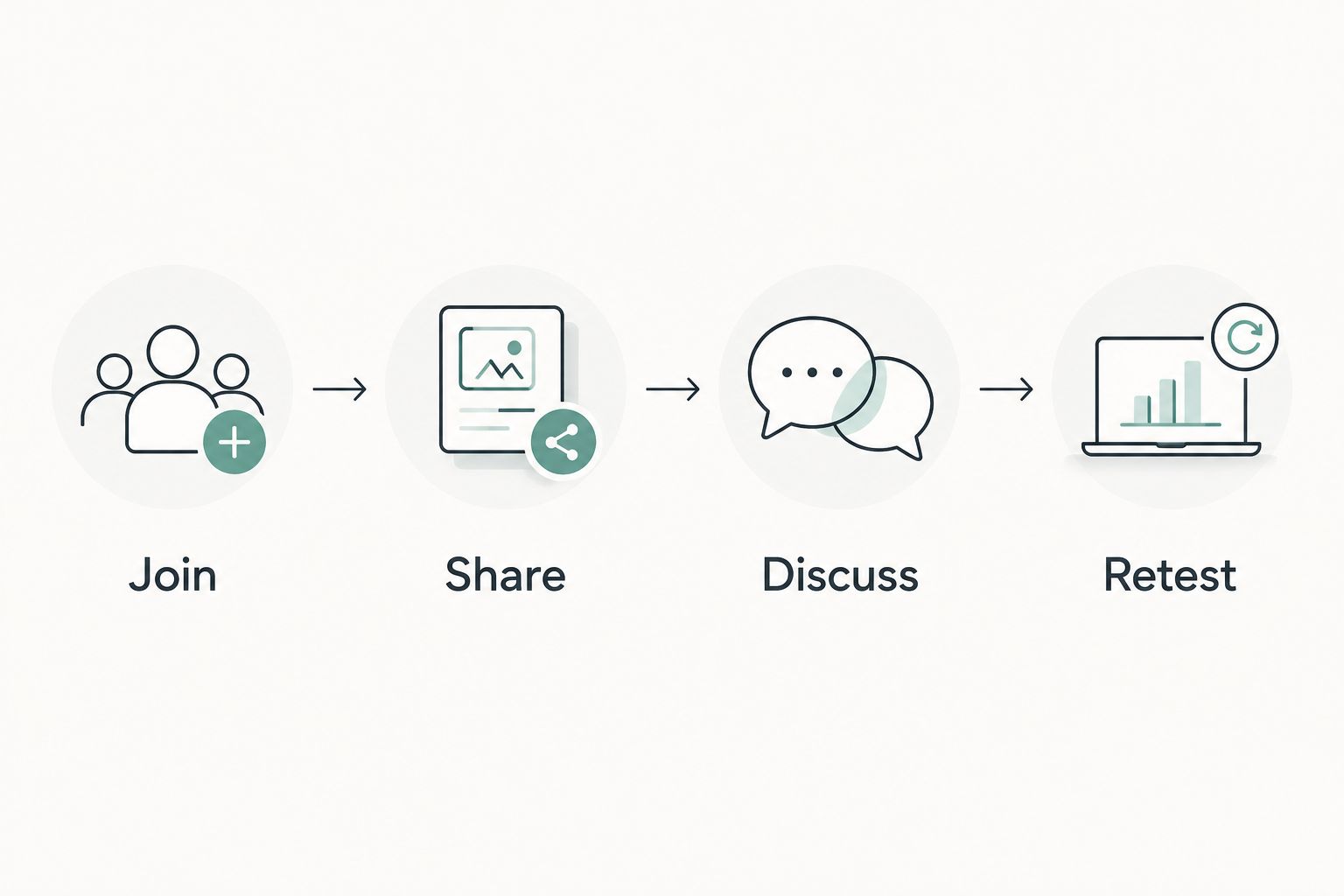
Accept the meeting experience, not just equipment that powers on.
Keep the remote participant involved when investigating audio complaints. Sound heard inside the room is not the same as sound transmitted through its microphones and meeting platform.
When an existing meeting room changes
Use the same coordination process whenever you move the table, replace a display, change the ceiling or alter room capacity. These changes affect the relationship between people, equipment and surfaces, even when the room’s purpose stays the same.
Coordinated new fit-out
- Best for: Teams designing a room before construction
- Main advantage: Routes and equipment positions can inform the interior
- Main limitation: Decisions must be settled before dependent work starts
Existing-room retrofit
- Best for: Teams keeping the room’s main structure and finishes
- Main advantage: The existing room provides a physical setting for tests
- Main limitation: Existing services and access constrain the solution
For a retrofit, survey before specifying. Photograph existing connections, confirm what equipment remains and mark proposed furniture changes on the current plan. Check cable access before assuming that a new table or screen can use the previous connection arrangement.
For a new fit-out, protect the approved coordination points during design revisions. If a 2026 furniture substitution changes table dimensions or cable access, send the revised information to the AV installer before accepting it.
Neither workflow removes the need for testing. A new room can contain coordination errors, while a retrofit can retain faults that users have learned to work around.
Troubleshooting
Remote participants cannot hear everyone
Check microphone coverage against occupied seats, not the table outline. Confirm the selected audio input and ask the installer to investigate placement, configuration and room acoustics before adding more microphones.
People look dark on camera
Check whether a bright window sits behind the participants. Adjust shading, review camera settings and assess face lighting together; increasing the room’s overall brightness does not necessarily correct backlighting.
The screen reflects lights or windows
Identify the reflection from the affected seats. Review shading, luminaire direction and display placement before changing the screen specification. Repeat the check under the conditions that caused the problem.
Calls contain echo or feedback
Check whether another device in the room has joined with its microphone and speakers active. Remove the duplicate audio path, then ask the installer to check audio processing and acoustic conditions if the problem remains.
Cables become exposed after furniture changes
Compare the installed connection points with the revised furniture plan. Restore a protected route and suitable service access; do not solve a layout mismatch by stretching leads across a walkway.
Customise your workflow
Turn the room brief into a repeatable template for future projects. Keep the meeting tasks, drawing approvals, connection schedule and acceptance test together so each room retains a clear record of its intended use.
Use the Giant Leap meeting room design workflow as a coordination method, not a fixed equipment prescription. Its strength is making dependencies visible before approval; its limitation is that a checklist cannot replace a site survey, equipment documentation or specialist design.
For your next 2026 room review, add a change trigger: any alteration to furniture, seating, lighting or finishes sends the affected items back through the acceptance test. Keep unchanged decisions intact rather than restarting the whole project.
FAQ
How do I connect meeting room AV systems to office interior design?
Coordinate the furniture layout, camera views, screen sightlines, lighting, acoustics and cable routes before approving finishes. Put the agreed decisions on shared drawings, then test the completed room using its intended meeting tasks.
Should I choose meeting room furniture or AV equipment first?
Develop the furniture layout and AV requirements together. Table dimensions affect viewing distances, camera framing and connection positions, while equipment requirements affect furniture and service access.
Can I improve AV in an existing meeting room?
Yes, start with a survey of the room, existing equipment and service routes. Test the current faults before specifying changes so the upgrade addresses the actual problem.
Do glass meeting rooms need acoustic treatment?
Glass reflects sound, so glazed meeting rooms need an acoustic assessment rather than an assumption that furnishings will solve the problem. The appropriate treatment depends on the complete room, its surfaces and its intended use.
How do I test a meeting room before handover?
Run a real meeting with a remote participant and test joining, content sharing and discussion from different seats. Record faults, assign correction owners and repeat the affected tests before acceptance.
Does moving the meeting table affect the AV system?
Moving the meeting table changes the relationship between seats, cameras, microphones, screens and connection points. Recheck framing, speech pickup, sightlines and cable safety after the move.
One last thing
Ask someone outside the room to approve the remote experience. A meeting room can sound acceptable to the people sitting inside it while transmitting an unclear conversation. That final receiving-end check tests the part of the room that an interior walkthrough cannot reveal.